GEOmyWP Geo my WP settings for Custom Map Marker
1 min readUpdated January 8, 2026
Upload the map icon. Find the icon in G Drive: Pure distilling >> Images. Use the image named: 1 Pure Distilling Map Marker 60.png
Log into SFTP for Pure Distilling AU and Pure Distilling NZ
go to:
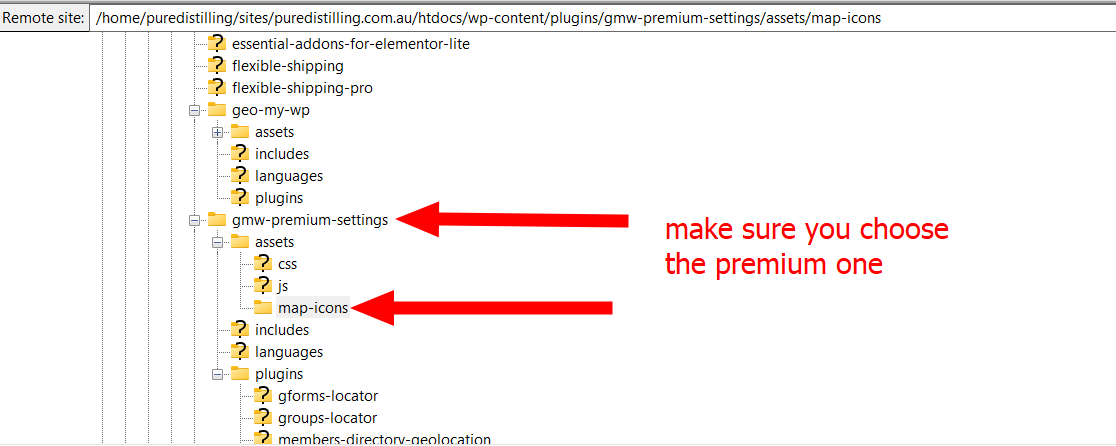
/home/puredistilling/sites/puredistilling.com.au/htdocs/wp-content/plugins/gmw-premium-settings/assets/map-icons
upload the Map Marker image to this folder.
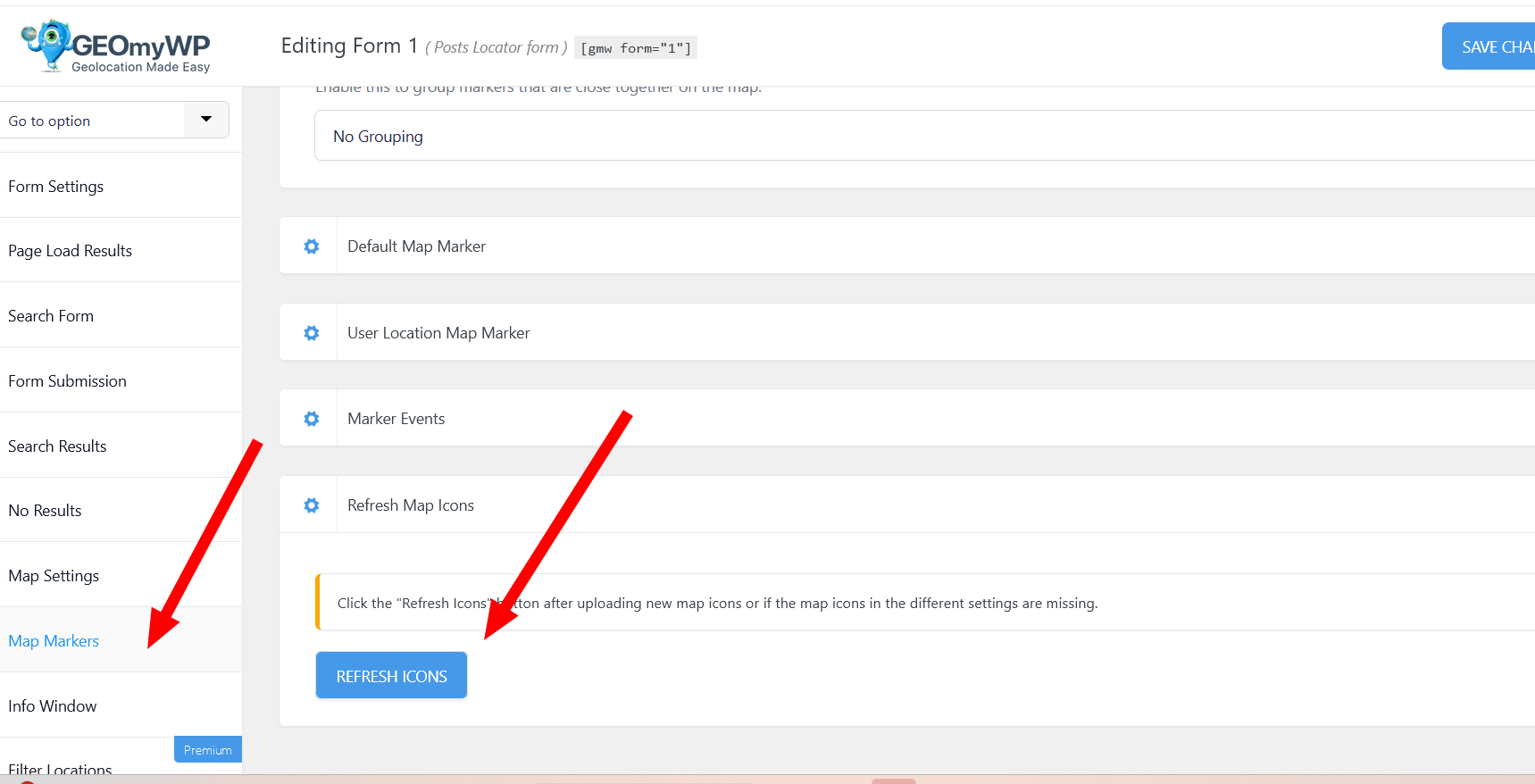
If the marker doesn't populate in the Map Marker spot in the individual Stores edit page, then make sure you refresh the Map Marker here. This is in the edit screen for the main form.